← Foyer simplified page

Minecraft 26.3 · Fabric

JRAFT.

The modpack for the JRAFT server. The JRAFT launcher installs it, keeps it up to date and starts the game on the server.

86mods 37resource packs 2shaders 4graphics presets

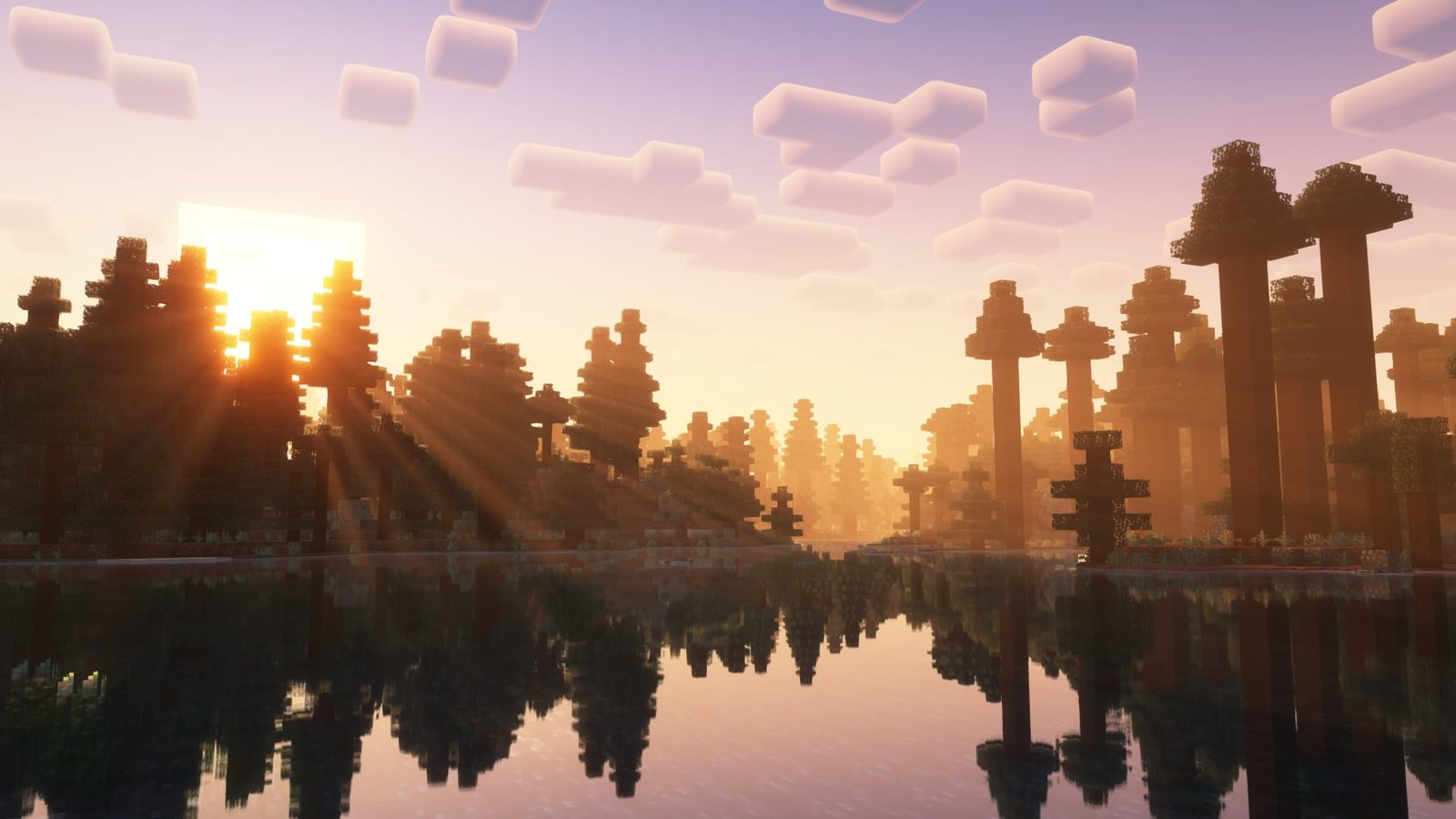
Complementary Reimagined (Modrinth gallery)

Shaders

Two shaders, both installed

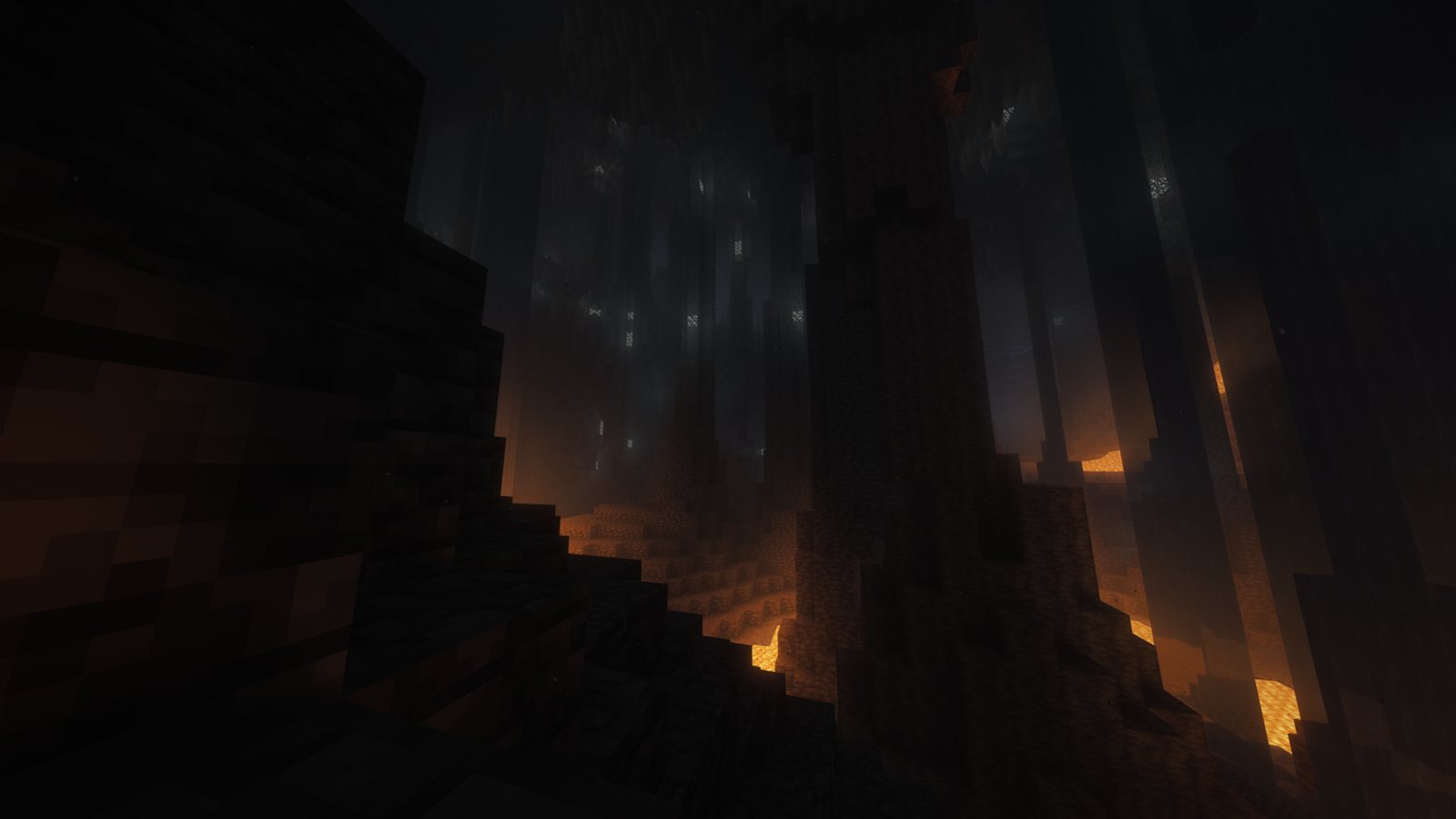
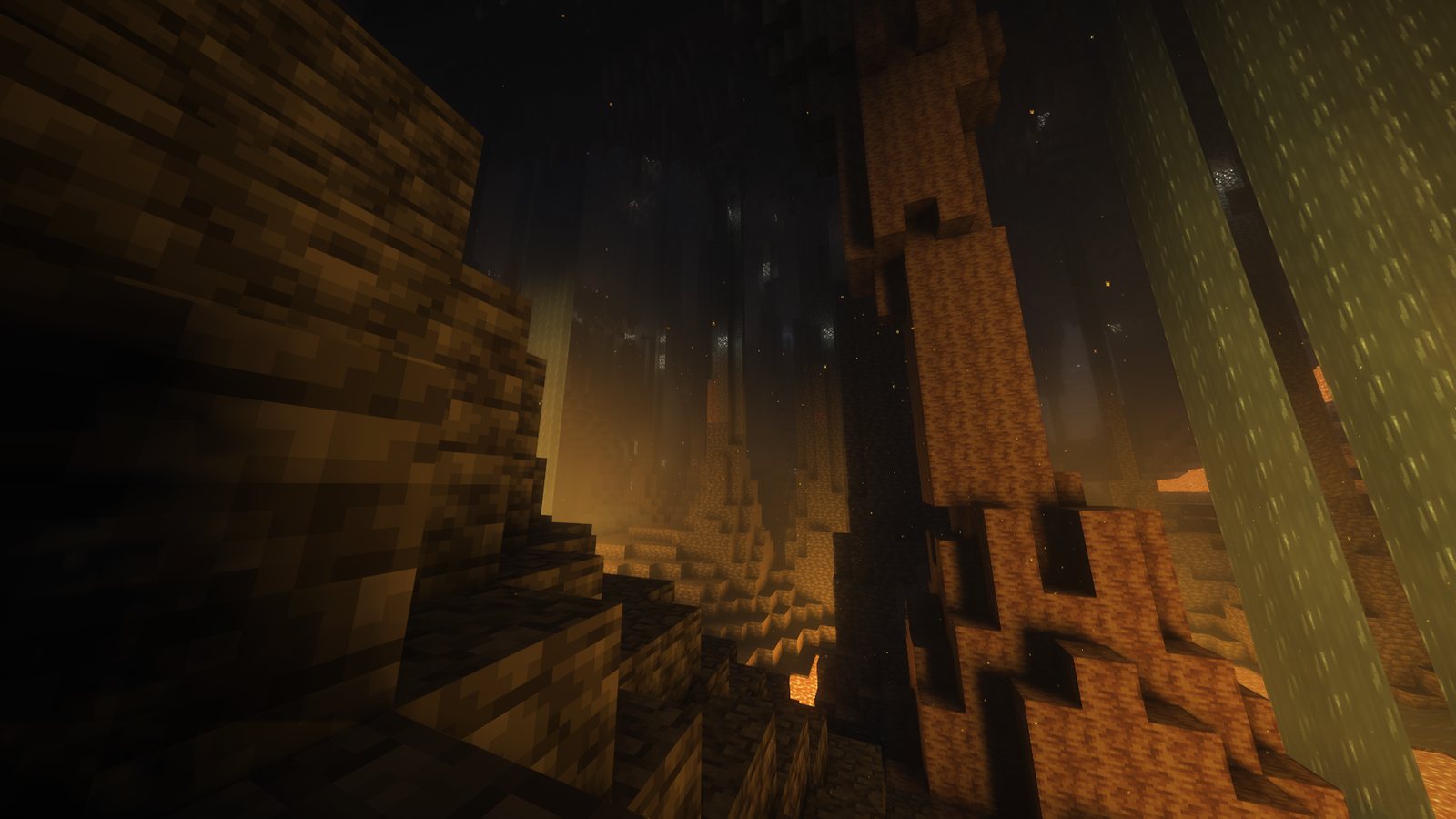
The launcher asks which one to use the first time it sets up a PC on the medium preset or higher. Switch any time in Options → Video Settings → Shader Packs. Below is the same cave with each.

  • Iris
  • Complementary Reimagined
  • Euphoria Patches
  • Rethinking Voxels
A cave lit by lava with Complementary Reimagined and Euphoria Patches The same cave with Rethinking Voxels, the walls lit orange by the lava Rethinking VoxelsComplementary + Euphoria

Complementary Reimagined + Euphoria Patches

Complementary with Euphoria Patches' additions, such as auroras and snow that collects on the ground. Euphoria creates its copy of the pack the first time the game starts; it's the one with EuphoriaPatches in its name.

Rethinking Voxels

Built on Complementary, with light from lava, torches, glowstone and other blocks traced through the world in colour. Euphoria Patches doesn't apply to it.

World generation

New terrain, biomes and structures

Terralith adds new overworld biomes. Tectonic changes the shape of the terrain: higher mountain ranges, deeper valleys, rivers and canyons. Incendium replaces Nether generation and Nullscape replaces the End. Structory adds small structures such as ruins and towers. Better Trees changes tree shapes.

The JRAFT server generates its world with the same mods.

  • Terralith
  • Tectonic
  • Incendium
  • Nullscape
  • Structory
  • Better Trees

Far terrain

Distant Horizons

Distant Horizons draws terrain beyond the normal render distance at lower detail. How far depends on the graphics preset: 64 to 256 chunks.

Animation and sound

Mobs, players and sounds

Animation: Fresh Animations animates mobs, using Entity Model Features and Entity Texture Features. Not Enough Animations and First-person Model add player animations and show your body in first person. 3D Skin Layers draws the outer skin layer in 3D. Camera Overhaul tilts the camera when you turn. Elytra Physics, Cool Elytra Roll and Elytra Trails change elytra flight.

Sound: Presence Footsteps plays footsteps that match the block. Ambient Sounds adds background sound per biome. Sound Physics Remastered adds echo and muffles sound through walls. Drip Sounds, Entity Sound Features and Sounds add more sounds.

  • Fresh Animations
  • Not Enough Animations
  • First-person Model
  • 3D Skin Layers
  • Camera Overhaul
  • Elytra Physics
  • Elytra Trails
  • Presence Footsteps
  • Ambient Sounds
  • Sound Physics Remastered
  • Drip Sounds

Grass, leaves and plants

Plant packs, combined

Grassrise adds grass blades on top of grass blocks. Simple Grass Flowers adds clovers, small flowers and stones to grass, podzol and mycelium. Os' Colorful Grasses, Simple Foliage and Grass Clovers add variants of short and tall grass. Bushier Bushes makes bushes and shrubs 3D. Better Leaves gives leaves a bushy outline and Os' Colorful Leaves recolours them. Fresh Flowers and Plants replaces flowers and saplings with 3D models.

Several of these packs change the same blocks, and normally only the one on top would show. JRAFT Grass and JRAFT Leaves, two packs made for JRAFT, combine them so all of them show at the same time.

  • Grassrise
  • Simple Grass Flowers
  • Os' Colorful Grasses
  • Simple Foliage
  • Grass Clovers
  • Bushier Bushes
  • Better Leaves
  • Os' Colorful Leaves
  • Fresh Flowers and Plants
  • Connected Paths
  • JRAFT Grass
  • JRAFT Leaves

In JRAFT, with the packs combined

Screenshots from JRAFT's test world with shaders off.

Items

3D items and first-person animations

Actually 3D Stuff, Fresh Food, Just 3D Potions, Better Fresher 3D Books, Refined Torches and Refined Buckets replace flat item sprites with 3D models. Glowing 3D Armor and Fyoncle's 3D Trims do the same for armour and trims. Punchy and Hyper Punchy animate items in first person. Theone's Eating Animation Pack animates eating and drinking.

  • Actually 3D Stuff
  • Fresh Food
  • Just 3D Potions
  • Better Fresher 3D Books
  • Refined Torches
  • Refined Buckets
  • Glowing 3D Armor
  • Fyoncle's 3D Trims
  • Punchy
  • Hyper Punchy

Interface and performance

Everything else

Interface: Simple Voice Chat adds proximity voice chat. Ok Zoomer adds a zoom key. AppleSkin shows hunger and saturation. Shulker Box Tooltip shows a shulker box's contents on hover. InvMove lets you walk with a menu open. Mouse Tweaks, Searchables, Chat Heads, Chat Patches, BetterF3, Controlling and Mod Menu round it out.

Performance: Sodium, Sodium Extra, ModernFix, FerriteCore, ImmediatelyFast, Entity Culling, More Culling, BadOptimizations, ScalableLux and Particle Core. Dynamic FPS lowers the frame rate while the game window isn't focused.

  • Simple Voice Chat
  • Ok Zoomer
  • AppleSkin
  • Shulker Box Tooltip
  • InvMove
  • Mouse Tweaks
  • Searchables
  • Chat Heads
  • BetterF3
  • Sodium
  • ModernFix
  • FerriteCore
  • ImmediatelyFast
  • Entity Culling
  • Dynamic FPS

The launcher

What the JRAFT launcher does

Open it every time you play. It checks everything below, then starts the game.

  • Joins the server

    Starts the game on the JRAFT server through its own tunnel, voice chat included, and puts JRAFT at the top of the server list.

  • Uses Prism Launcher

    Uses your Prism Launcher if you have one, otherwise a portable copy it keeps updated. Adds a JRAFT instance.

  • Brings Java 25

    Downloaded for JRAFT only. Memory for the game is set from your RAM: 2.5 to 6 GB.

  • Keeps the pack up to date

    Downloads mods, resource packs and shaders, checks each file's sha512, and removes files that have left the pack. Files you added stay.

  • Keeps your settings

    Default configs are copied only when missing, so your keybinds and changes stay after updates.

  • Checks your own mods

    A mod you added that can't run on this Minecraft version is moved to mods-disabled, not deleted.

  • Orders the resource packs

    Turns the pack's 37 resource packs on in the order they need. Packs you turned on yourself stay on.

  • Fixes packs

    Removes the broken shield and tool models from Fresh Flowers and Plants and Fresh Food, and adds JRAFT Grass and JRAFT Leaves.

  • Picks graphics settings

    Reads your graphics card and applies one of four presets. Your own changes are kept afterwards.

  • Picks the account

    With several Microsoft accounts in Prism it asks which one to play on, with a Don't ask again option.

  • Updates itself

    On Windows and Linux it installs each new release when it starts. On a Mac the log says when one is available.

  • Shows a log

    Show log lists every step. Copy log copies it so you can send it when something goes wrong.

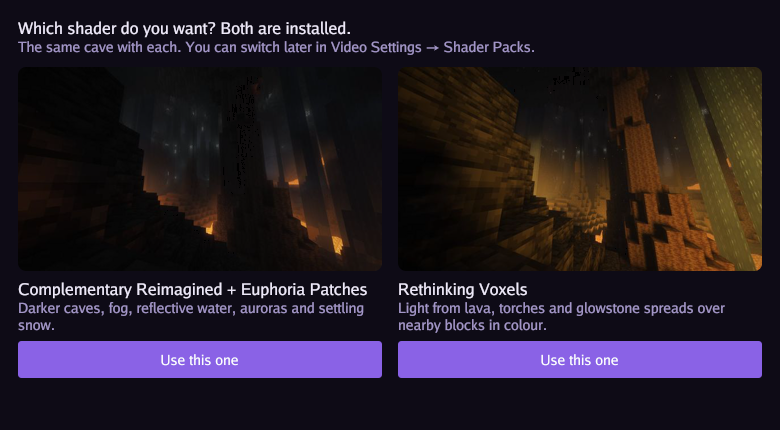
Shader choice

On the medium preset and higher, the first time it runs the launcher shows both shaders with a screenshot of the same cave and asks which to use. The choice is saved and not asked again.

The launcher window asking which shader to use, with a screenshot of each

Graphics presets

Settings by graphics card

The launcher applies a preset the first time it sets up a PC, and again if the graphics card changes. A PC with less than 7 GB of RAM gets medium at most.

PresetView distanceFar terrainShadersGraphics cards
Low3 chunksDistant Horizons, light settingsOffIntegrated graphics and older cards not listed below
Medium8 chunks64 chunksOn, reduced settingsGTX 1050 to 1080, GTX 1650 and 1660, RX 470 to 590, RX 5500 to 5700, RX 6400 and 6500, Arc A380 and A580, Radeon 680M to 890M, Apple M1 to M5
High8 chunks128 chunksOnOther RTX cards, RX 6600 to 6950, RX 7600 and 7700, RX 9060, Arc A750, A770, B570 and B580, Apple M Pro
Ultra12 chunks256 chunksOnRTX 3080 and 3090, 4070 to 4090, 5060 to 5090, RX 7800 and 7900, RX 9070, Apple M Max and Ultra

Install

Getting started

You need Minecraft Java Edition on a Microsoft account.

  1. Download

    Pick your system below. On a Mac, unzip it and move JRAFT to Applications.

  2. Open it

    It sets up Prism, Java and the pack. Open it every time you play to get updates.

  3. Sign in

    The first time, sign in with your Microsoft account in Prism's window.

  4. Play

    The game starts and joins the JRAFT server.